
Clankie menu bar
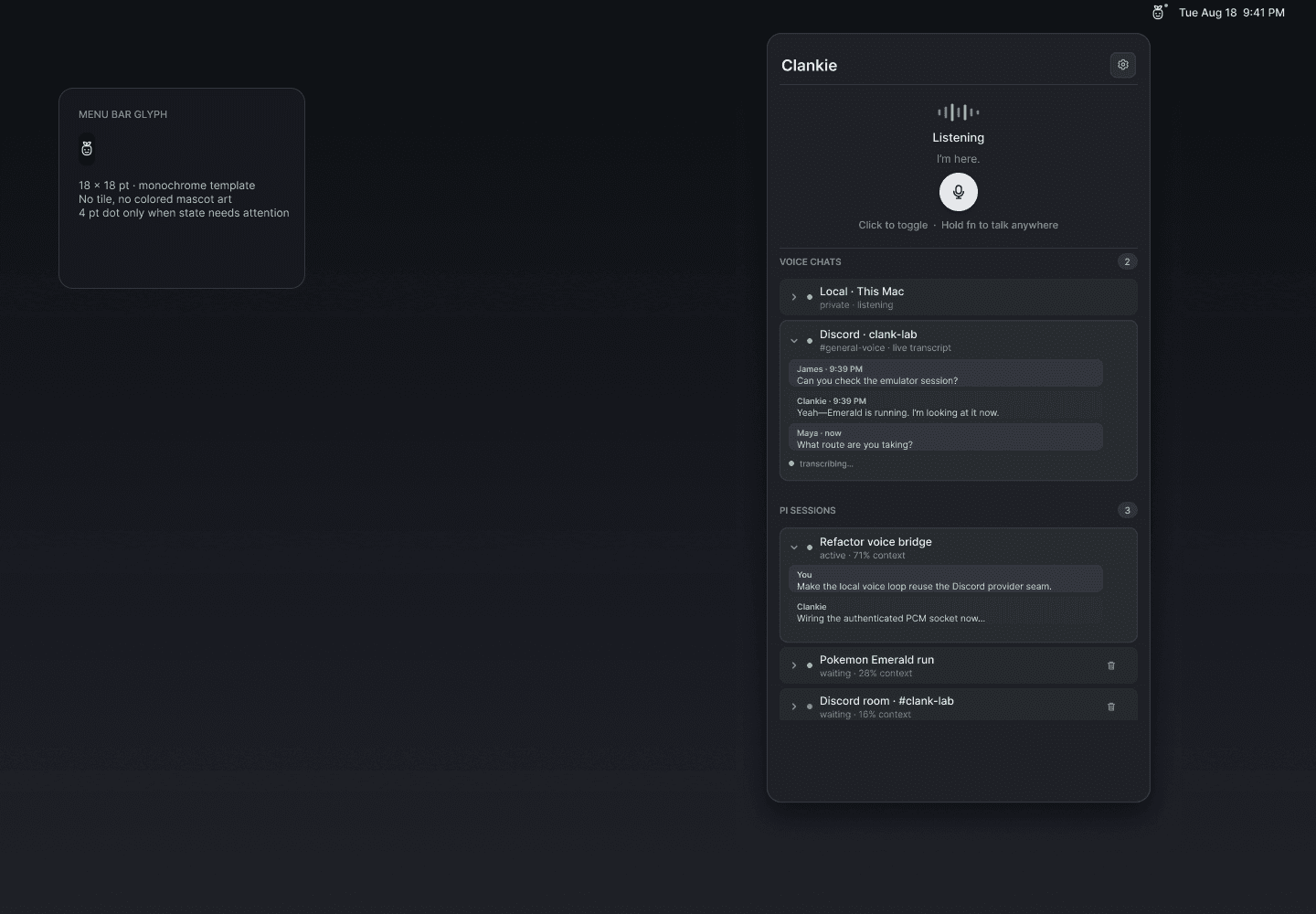
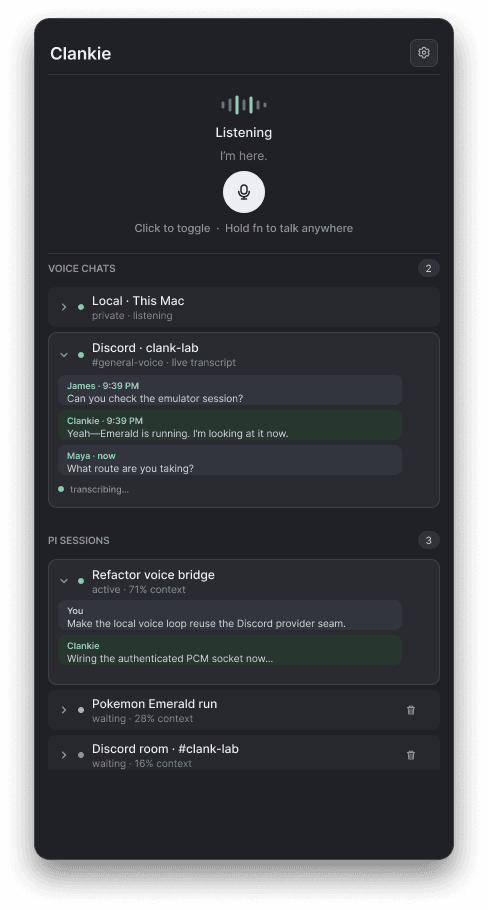
The native macOS menu-bar app opens a private local voice chat and shows live operator and Discord voice transcripts. Click the microphone to toggle a conversation, or hold Fn to talk momentarily from any app. The template menu-bar glyph is the finalized monochrome Clankie mark.
Design
The editable source is the Clankie menu-bar Figma file. The checked-in exports preserve the approved design alongside the implementation.
pnpm --filter @clankie/menu-bar test
pnpm --filter @clankie/menu-bar bundle
open apps/menu-bar/.build/Clankie.app
The app reads the clankie_captain API credential from the macOS Keychain and
connects to http://127.0.0.1:4310. CLANKIE_BASE_URL and
CLANKIE_CAPTAIN_TOKEN are development overrides. macOS requests microphone
permission on first use; the global Fn gesture uses session keyboard flags and
does not request Input Monitoring access.
The session list and expandable tails use /operator/v1/dispatch. Local voice
uses /operator/v1/voice-chat; raw 24 kHz mono PCM remains in memory. Discord
speech appears only when discord.voiceTranscriptLoggingEnabled is enabled in
owner settings, through /v1/discord/voice-transcripts.
Each inactive, non-default Pi session has a trash button that clears that one session through the shared conversation close operation. Active sessions and the default session remain available.